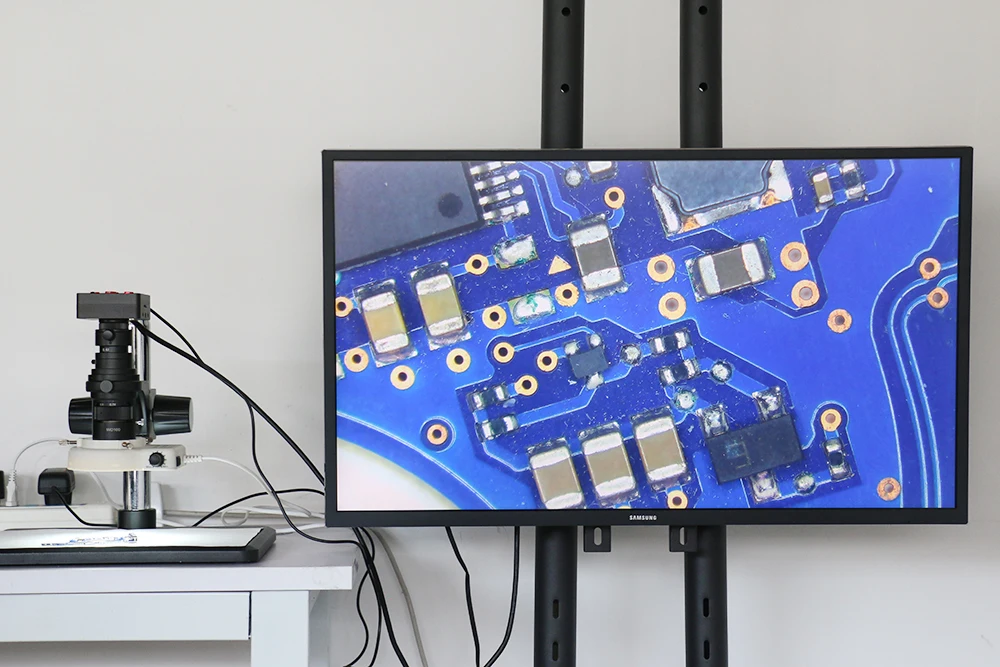
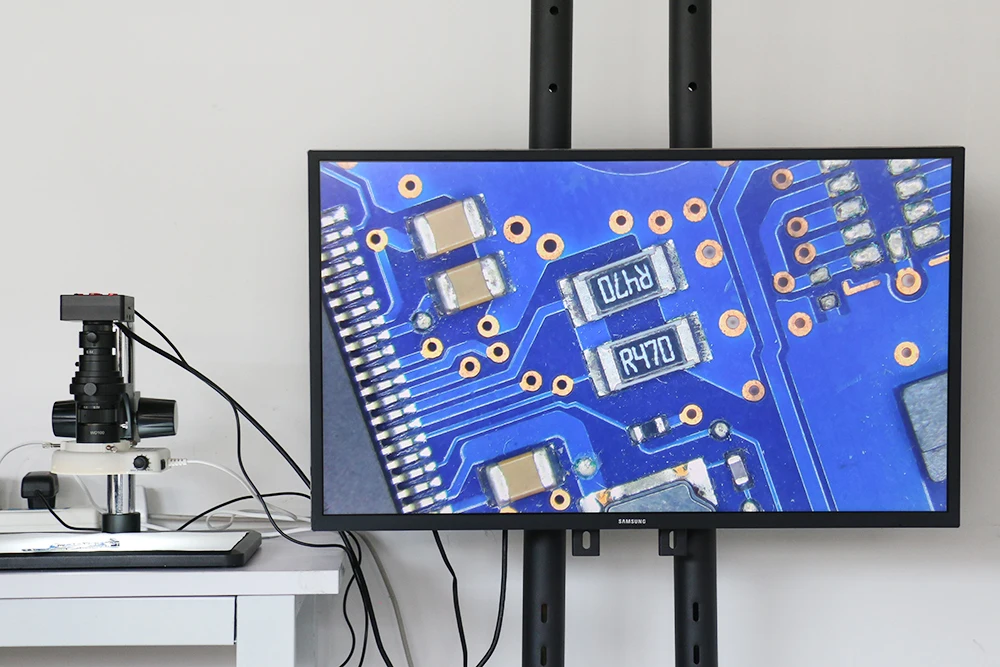
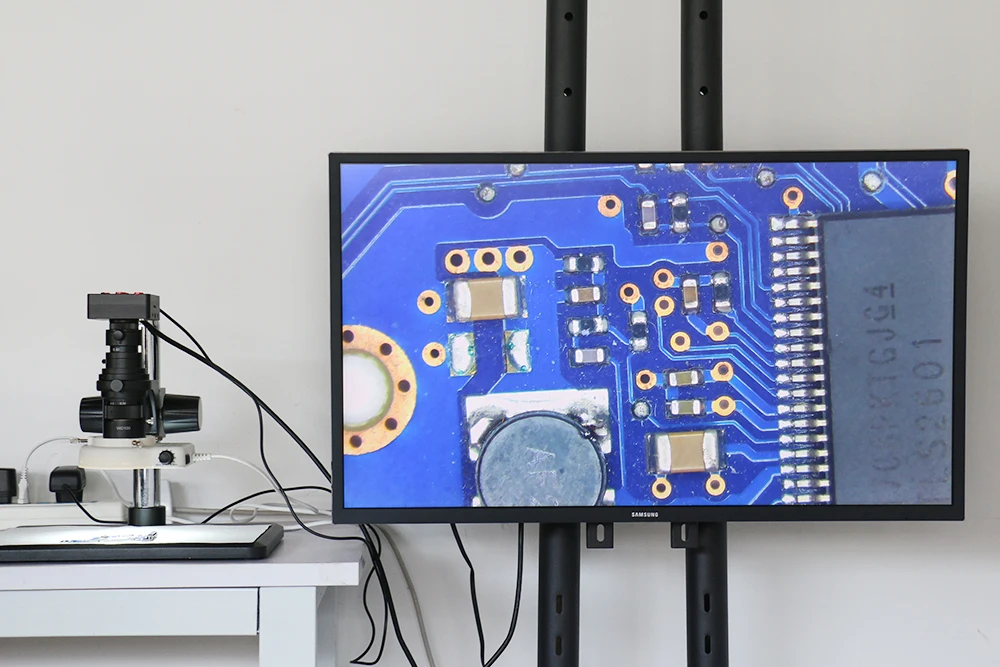
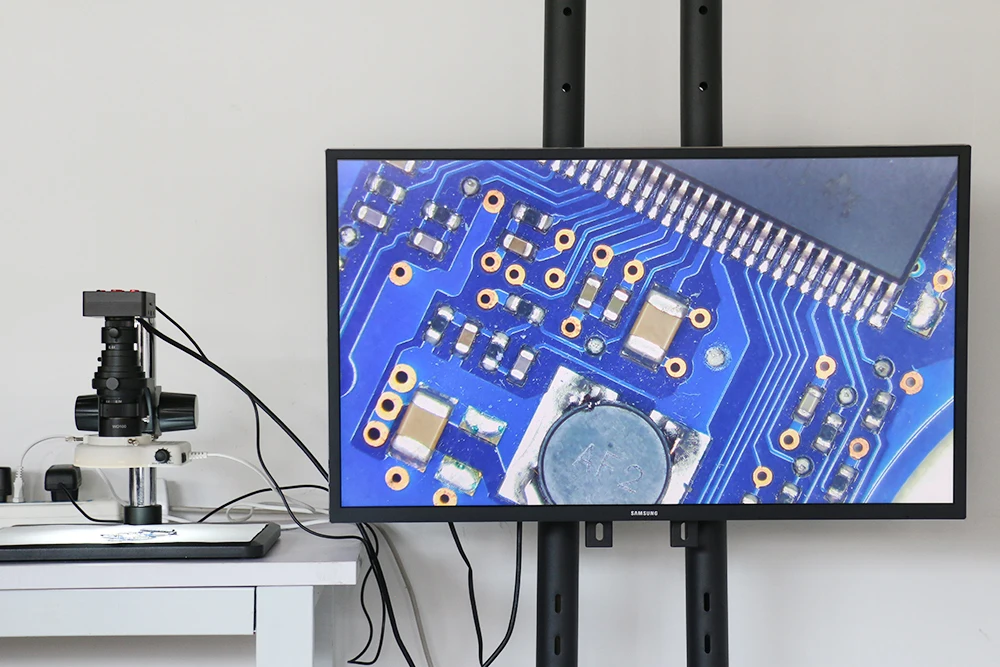
48MP 2K 1080P USB HDMI Digital Industrial Video Microscope 180X 300X C Mount Lens For Phone PCB Soldering

2 sold in last 8 hours
mickcara
03091-1
In stock
$388.00
Size Guide
Magnification *
Color *
A
B
C
D
$388.00
customers are viewing this product
Tags:
Function:
Picture Pixel:48M
TF Card: Video Recorder
Grid line:8 horizontal lines, 8 vertical lines
Video Frame Rate:60FPS@1920x1080 24FPS@2K 60FPS@720P
TF card:4GB (Up to 32GB max)
CMOS censer:1/2.33 inch
Cross line:Overlap or Cancel
CMOS pixel:1.33um x 1.33um
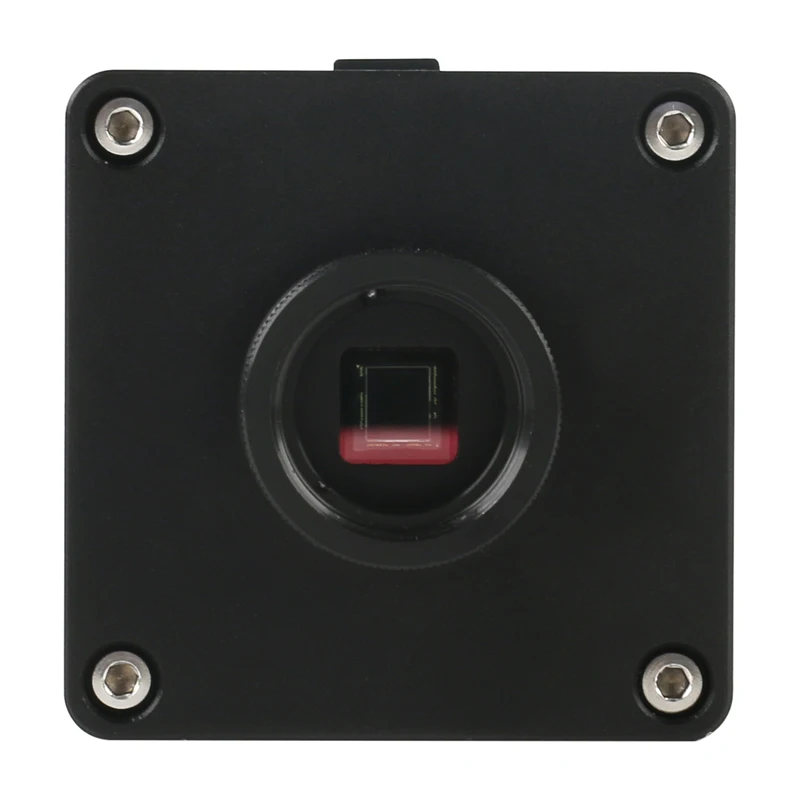
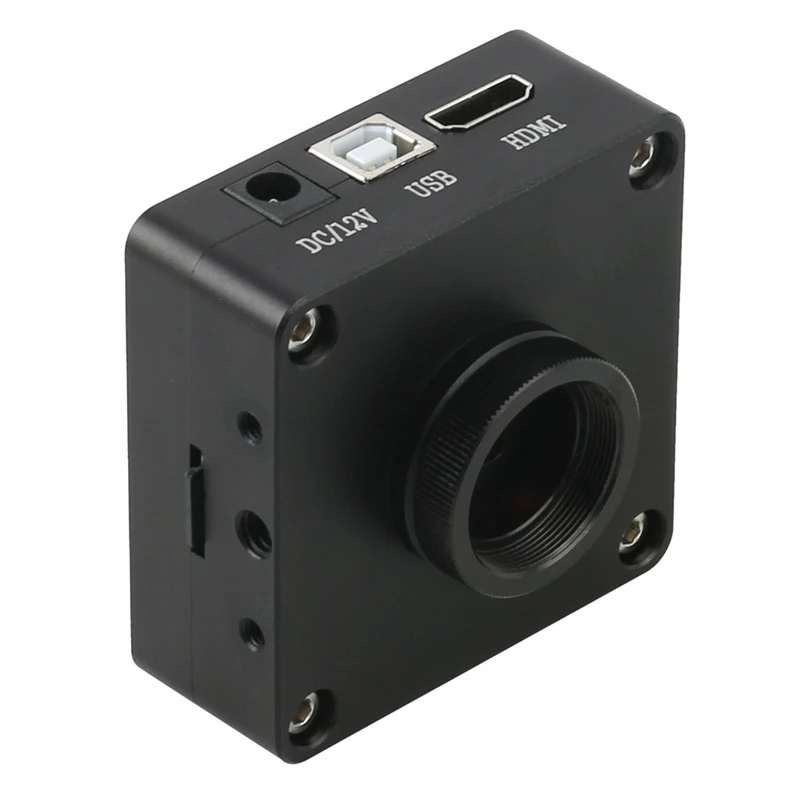
Lens jack:C-mount
Color setting:Auto 
Power:12V/1A
White balance:Auto/one button calibration/Manual
Size:68x68x35mm
EV:Auto/Manual
Weight:180g
Language:Chinese, English
Camera mode:HDMI output 1080P @60 FPS
Working temperature:0-70℃
 
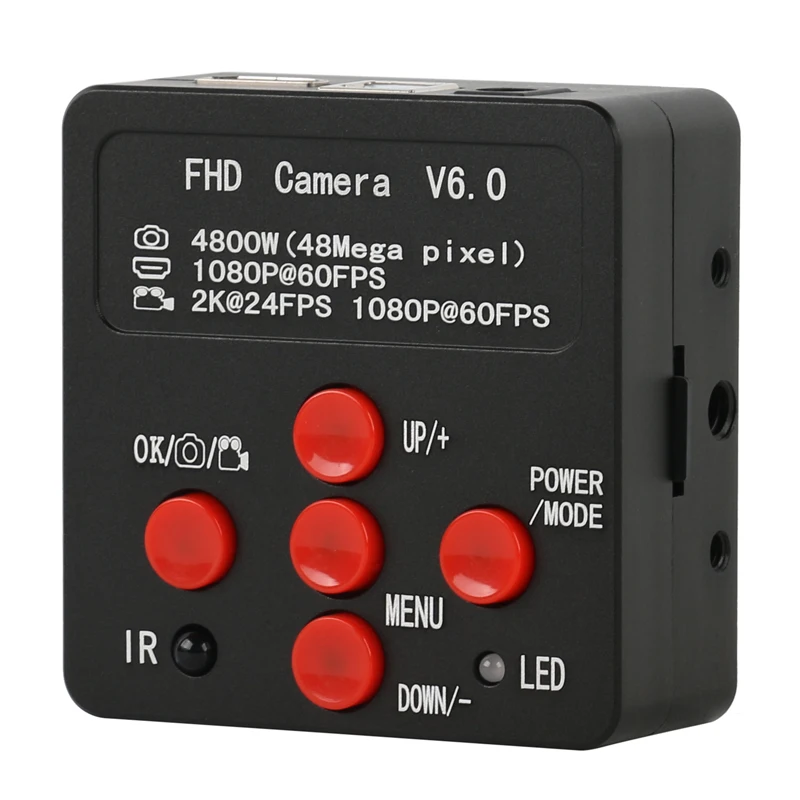
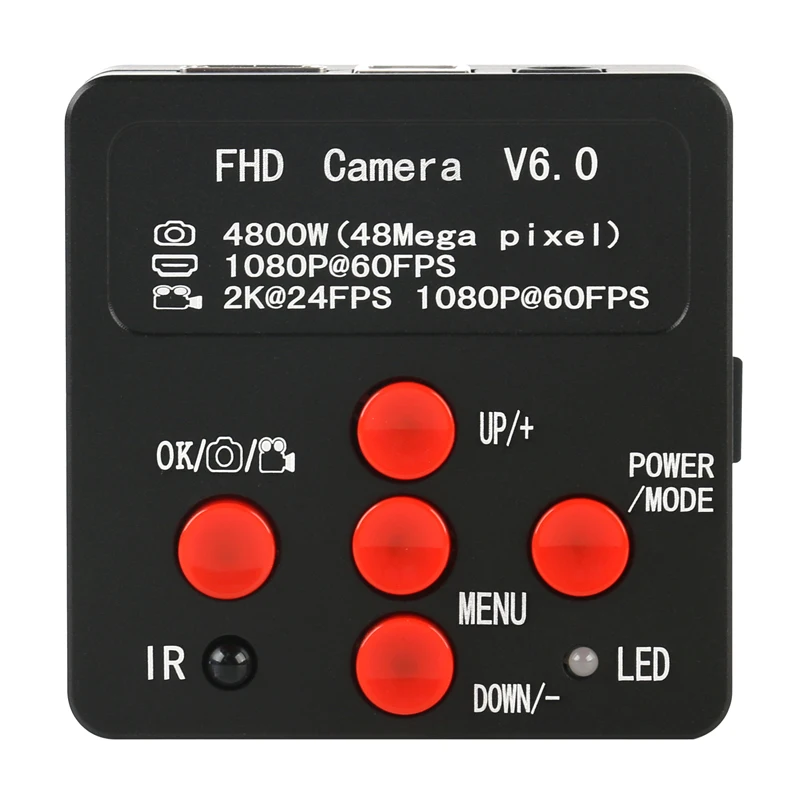
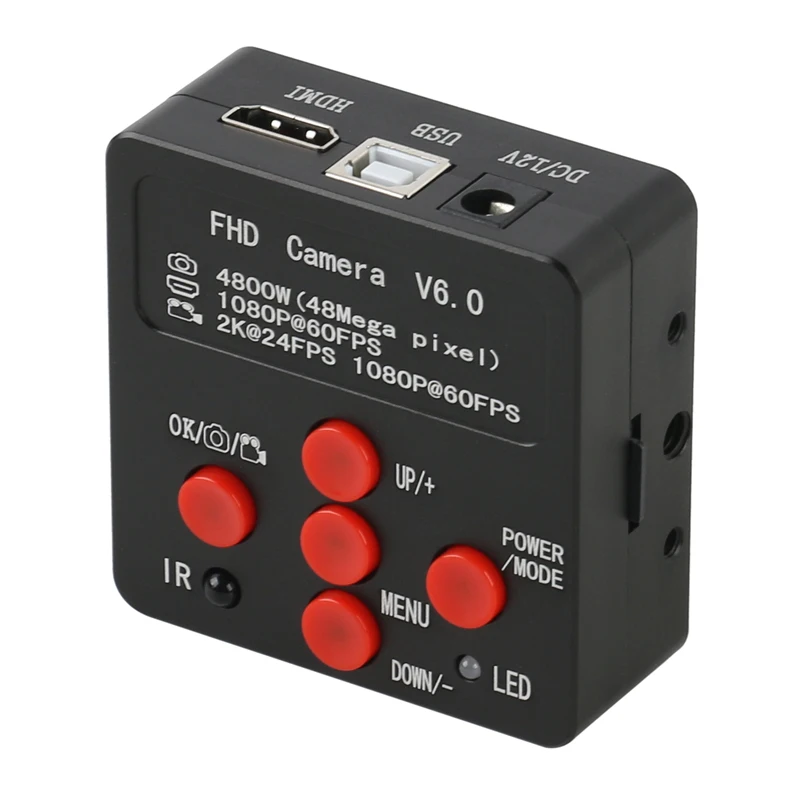
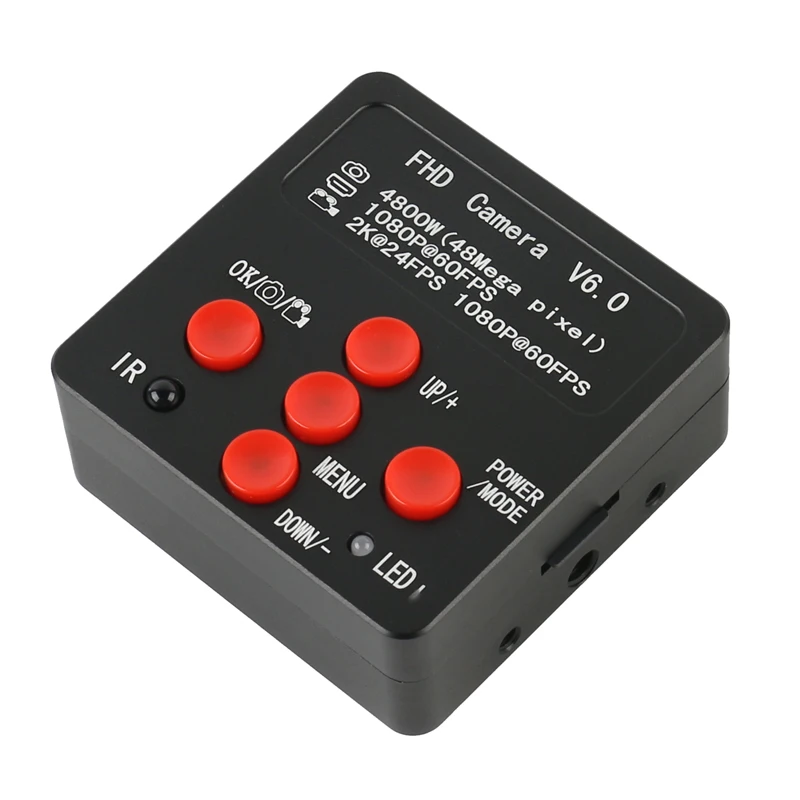
POWER/MODE: 
This camera is plug-in to power on, long press the button for 3 seconds
to power off, then short press for 1 second to power on. Power on 
success if you hear ticking with red indicator light on. After power on, 
short press for 1 second to change to video mode, press one more 
second to change to picture/video playback mode, one more press 
back to camera mode.
 
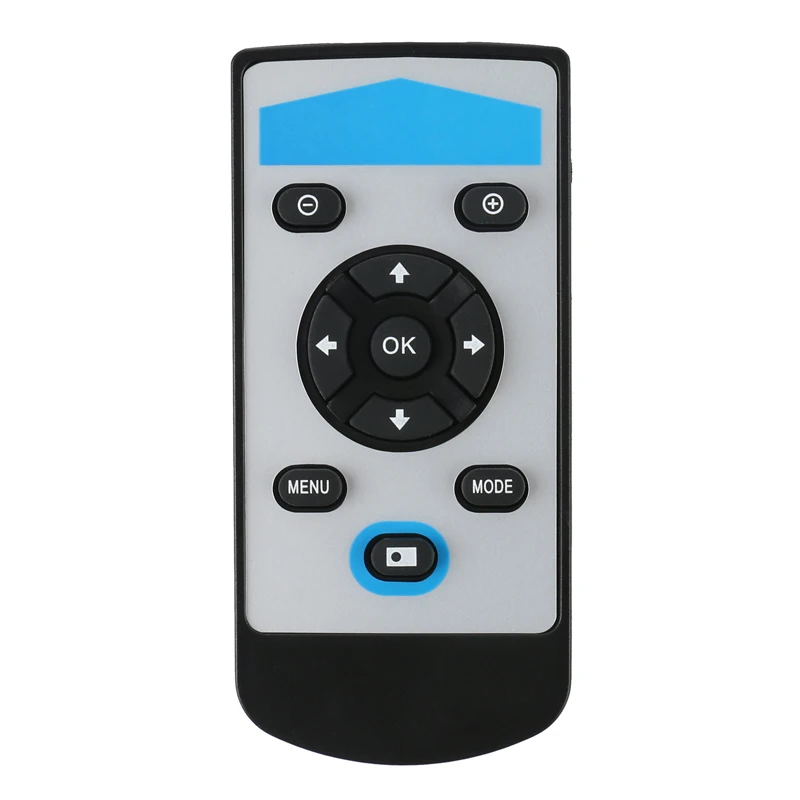
MENU:
Short press the button for 1 second and enter menu setting page. Use
UP/DOWN button to select related funtions and press OK button to
enter submenu.
a) Chinese/English language settings: use UP/DOWN button to select and press OK button to confirm;
b) Grid line settings: press UP/DOWN to select line and press OK button to enter, press UP/DOWN to open/close 10 grid lines rulers, to open/close 8 grid lines, every line’s direction, position, color or width, then press OK to change the line’s direction, position, color or width. Press MENU button again to return to upper level menu; 
c) Exposure setting: press UP/DOWN to select auto/manual exposure mode, then press OK to confirm;
d) EV settings: under auto exposure mode, enter to select +-0.3/0.7/1.0/1.3/1.7/2.0 exposure value as needed;
e) White balance settings: can select auto, manual or one-button-calibration mode after entering, there might be color deviation if you change the light, then you can put a white paper and select one-button-calibration to calibrate the color. You can also adjust the red and green value manually for special use;
f) Color setting: can select colorful or white/black mode as needed;
g) Light frequency settings: can select 50Hz/60Hz as needed;
h) Acutance settings: options for strength/standard/soft;
i) Contrast settings: high/middle/low options as needed;
j) Video size: 3 options for 2K24fps/1080P60fps/720P60fps can be used as needed;
k) Mirror function: vertical/horizonal mirror functions in option;
l) Format: it can be used for new card or even defected card before taking photos in memory;
m) Regain default settings: regain all your settings to original default settings;
n) System information: it’s original software version, repress MENU button to exit;
 
OK/CAPTURE/RECORD:
Under camera mode, short press OK button to take a photo; under video 
mode, short press to start or stop recording; under MENU mode, it’s
confirm button, for line’s open/close and vertical/horizonal change, 
position adjust, and also line color/width change.
UP/+: under camera mode, short press this button to increase EV.
DOWN/-: under camera mode, short press this button to decrease EV.
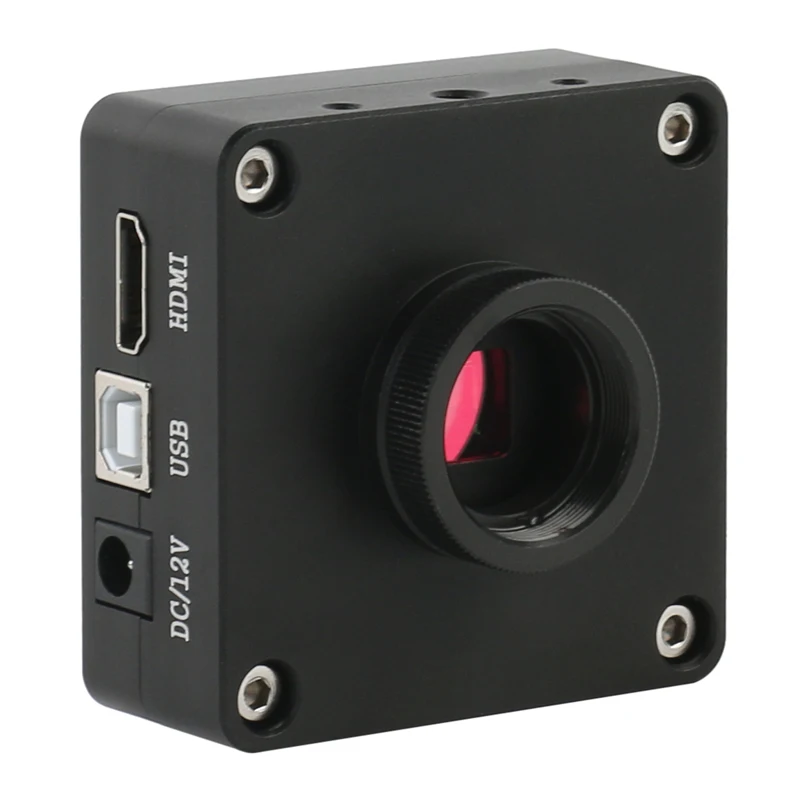
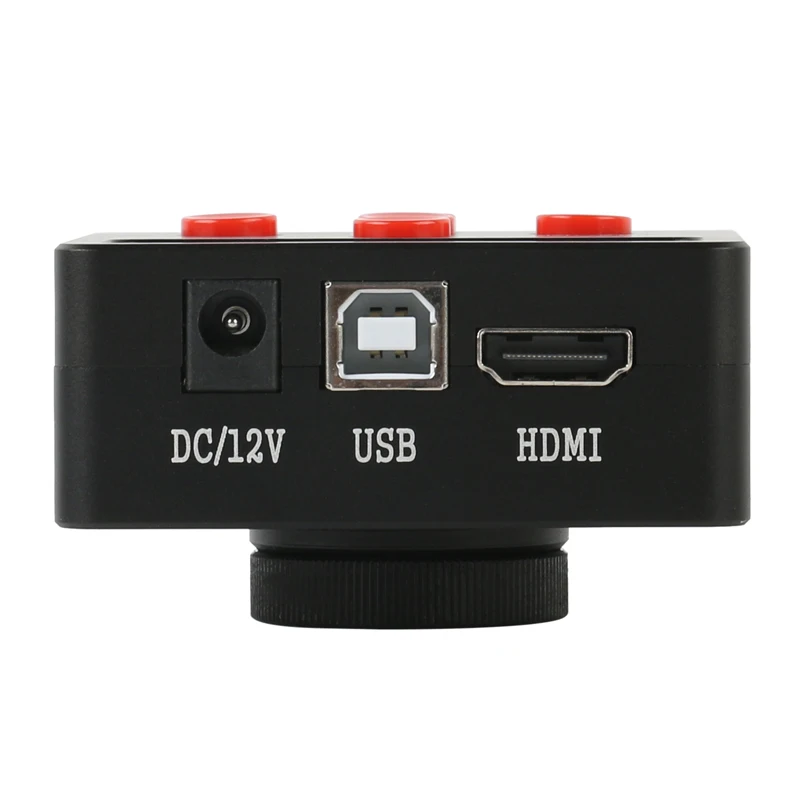
HDMI Interface: connect camera to a monitor with HDMI interface, 
please use 16:9 wide monitor.
USB/PC Interface: 
1.connect the camera to your computer with USB cable, then power on, 
if a SD card available in camera, then you will enter U disk mode and can prereview the pictures/videos from camera SD card or copy to your computer.
2.If no SD card in camera, you will enter PC-CAM mode to view pictures from your computer directly, and no driver needed here.
 
Note: DC/12V interface is for camera with 5V-12V/1A input power adapter, and unsuited adapters can’t be used, otherwise the camera will be burned broken then.
 
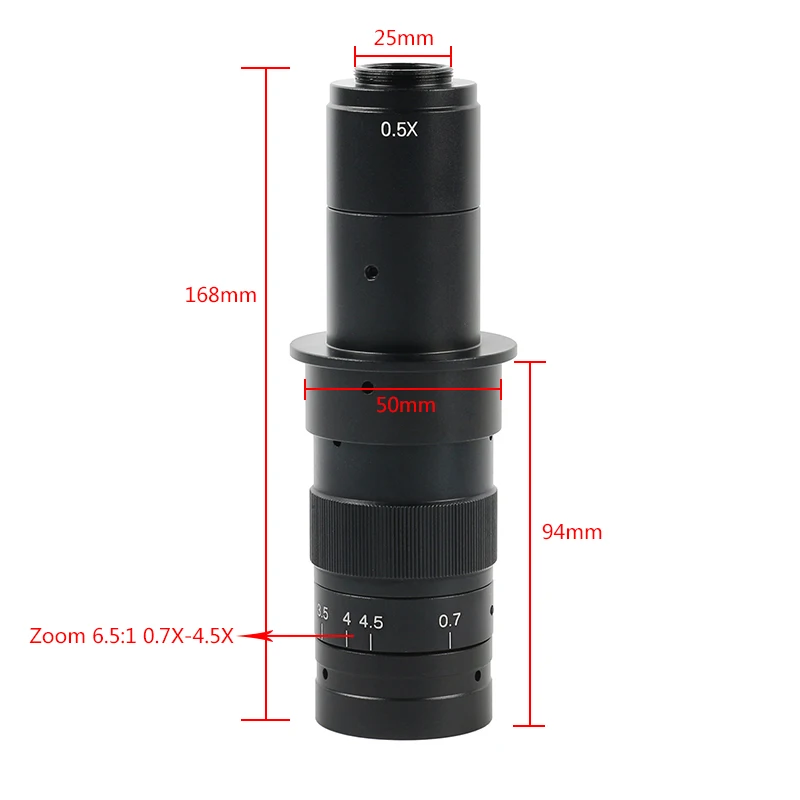
180X C-MOUNT Lens
Working distance: 95mm    
Zoom c-mount Lens    
0.5X C-mount adapter    
Zoom ratios: 6.5:1    
Objective Magnification Power by 0.7 - 4.5X(about 10 - 180X on the display)    
Size: 180mm(L) * 50mm(DIA)
Working distance:14.5-10cm
 
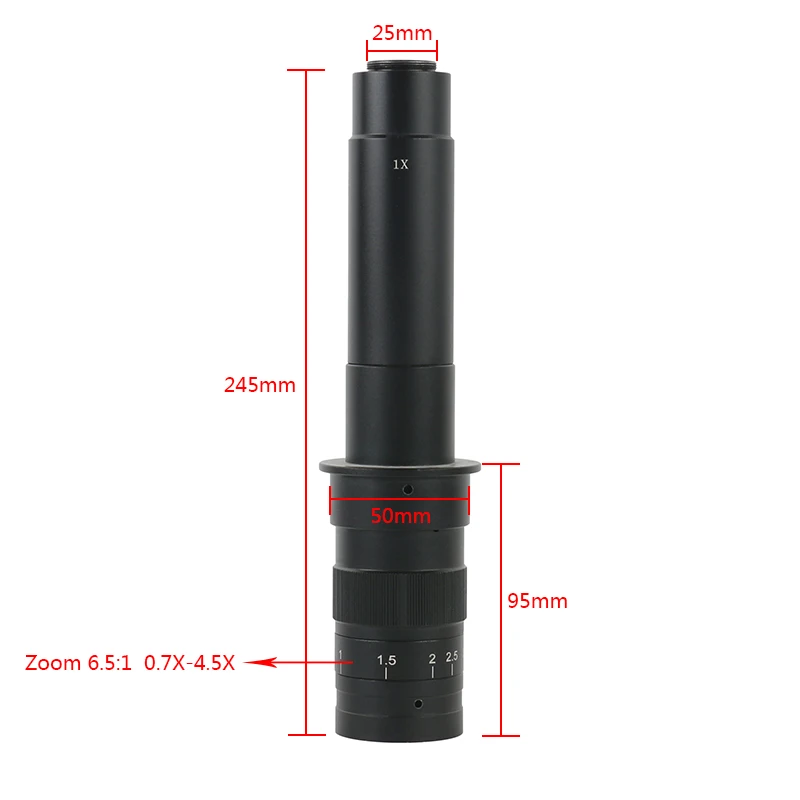
300X C-MOUNT Lens
Working distance: 95mm    
Zoom c-mount Lens    
1X C-mount adapter    
Zoom ratios: 6.5:1    
Objective Magnification Power by 0.7 - 4.5X(about 10 - 300X on the display)    
Size: 248mm(L) * 50mm(DIA)
Working distance:11-10cm
 
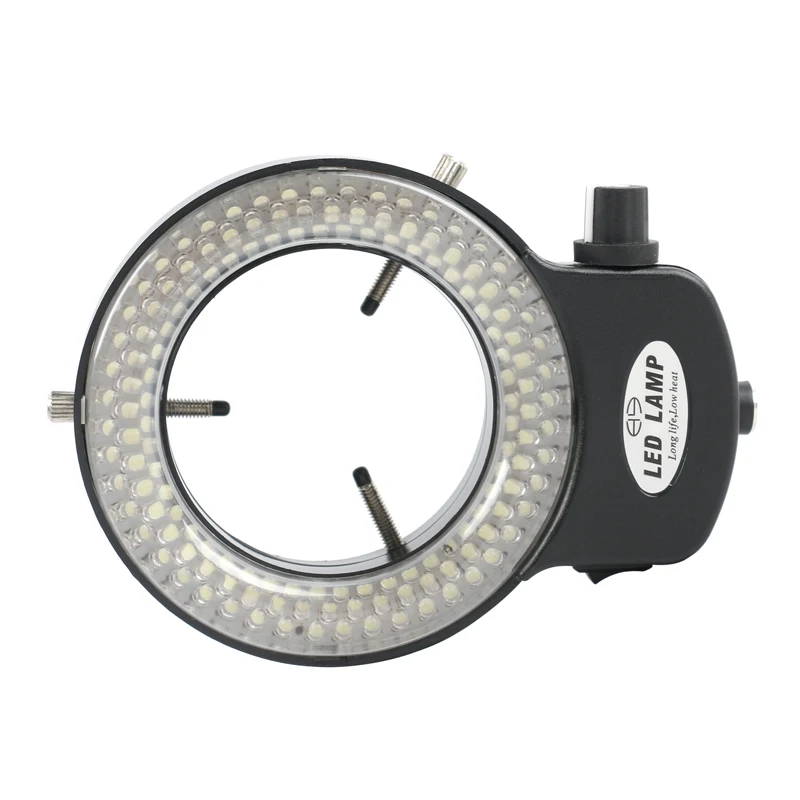
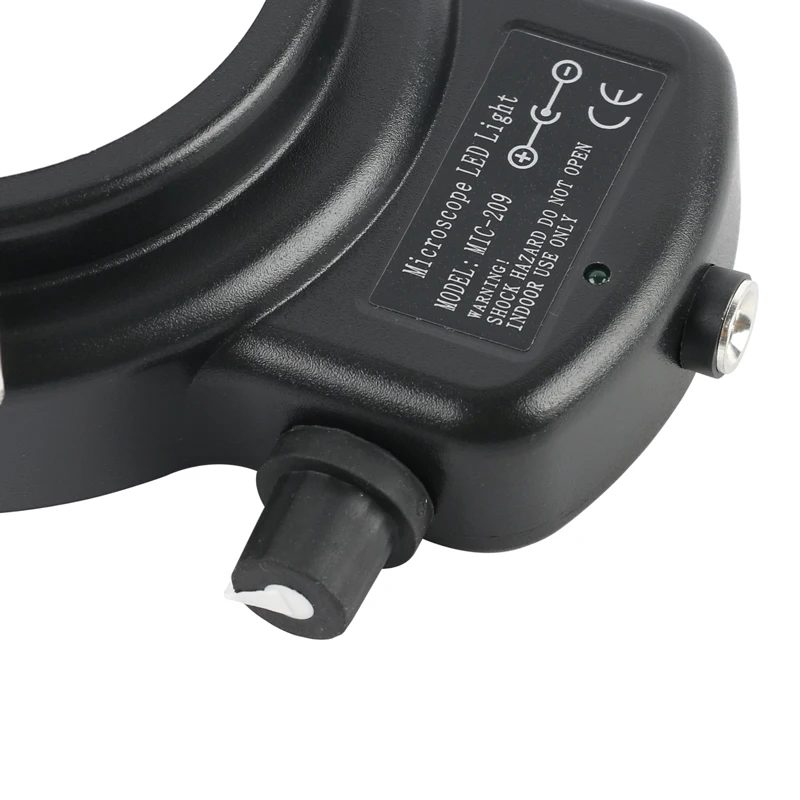
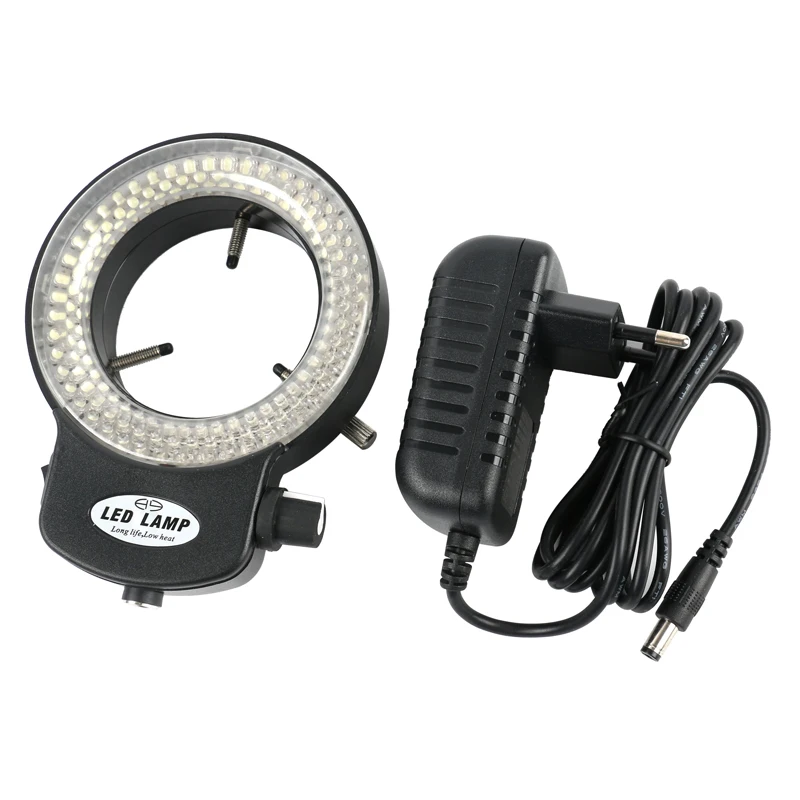
144 bright white LED bulbs   
100,000 hours of life   
Intense and focused shadow-free illumination   
The brightness of 0-100%Adjustable,high brightness   
Variable intensity control   
Power input: 100-240V, 50-60HZ  
Suit for the dia of the lens: 30mm-120mm 
 
Packing Including:
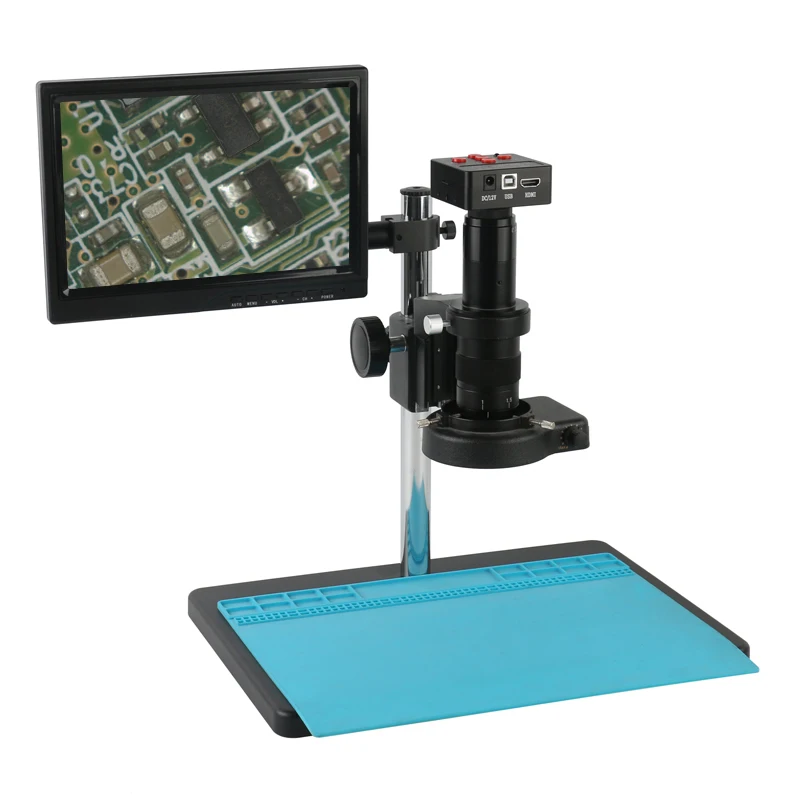
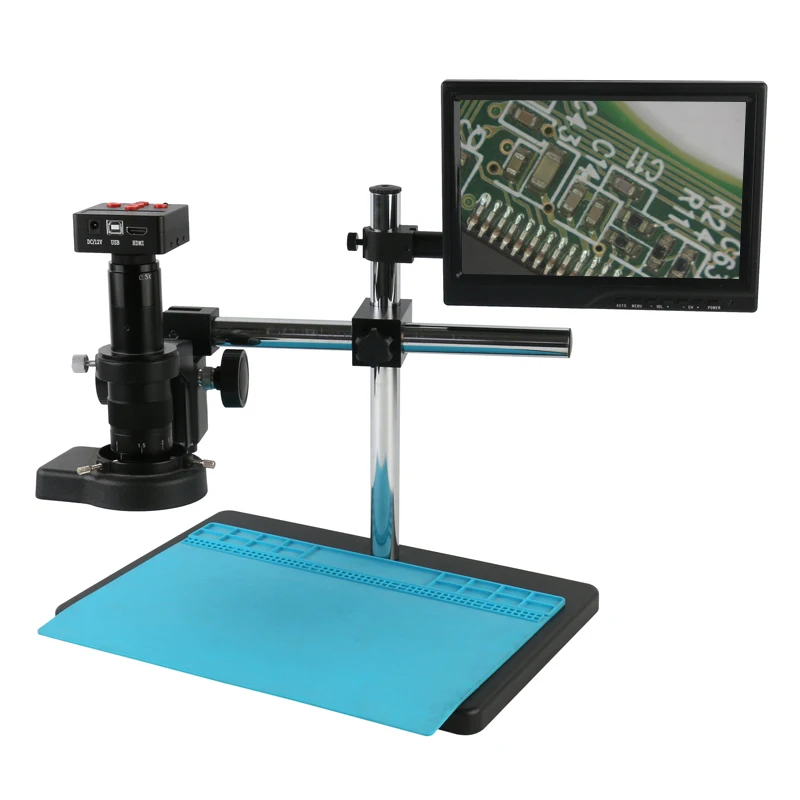
1 x HDMI USB Video Camera
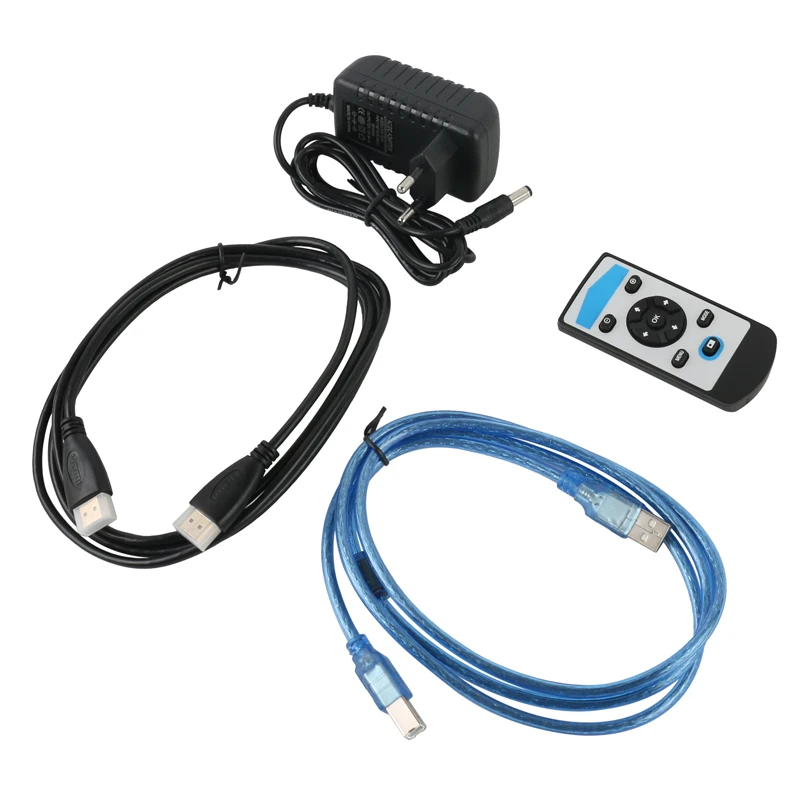
1 x HDMI Cable
1 x USB Cable
1 x 4GB TF card
1 x IR Remote control
1 x Power Supply Adapter (EU/AU)
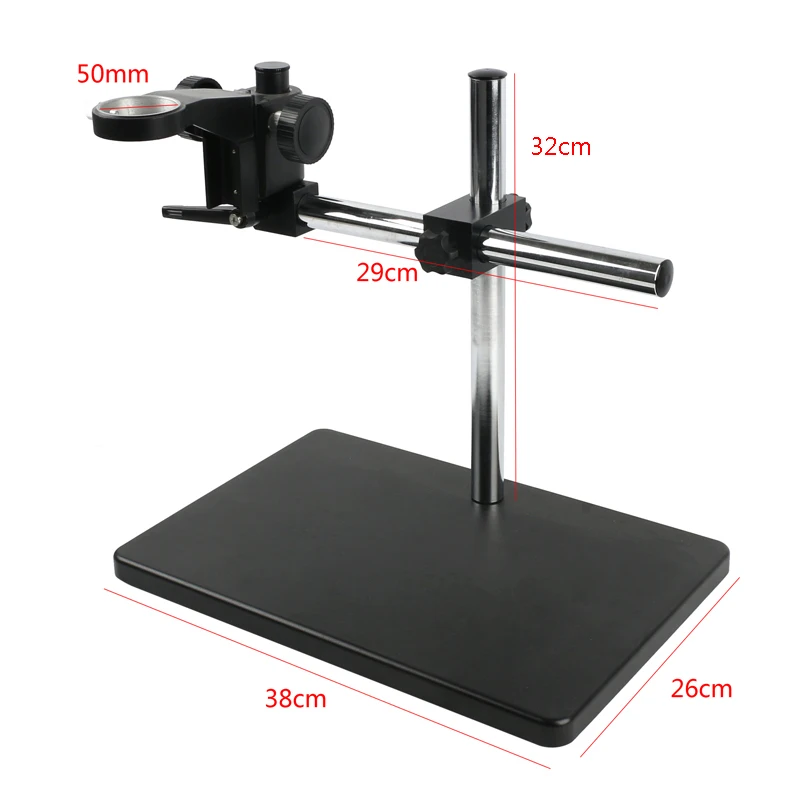
1 x Camera Big Stand
1 x 144 LED Ring Light
1 x 180X/300X  Zoom C-mount Lens
1 x High temperature resistant working pad
(Optional)
1 x Boom Stand
1 x 10.1" LCD Monitor
About the Shipping:
 
If for parcel under 2KG, we will arrange shipment by Aliexprese Standard Shipping,or China Post Registered Air Mail,or ePacket, which is the recommended logistics of Aliexpress. The tracking information will be shown on Aliexpress and you can see the update tracking status very clearly. For any shipping queries, you can contact us or Aliexpress for assist. 
If you choose other shipping service, please kindly take reference the transit time we commit.You can use https://www.17track.net/zh-cn to check package tracking information.
 
 
For the shipments over 2kg, we will only arrange it by express shipping. You can choose UPS/DHL/ EMS/ SPSR/ FedEx/ Aramex/AliExpress Premium Shipping, etc.. The transit time please you take reference of our arrival commitment.  It is except the delay of customs clearance problems at destination countries. 
 
 
About the Taxes:
 
We won't take any responsibilities for any taxes occur at destination countries. 
We need you to provide the declare value we should show on the commercial invoice for any express shipments. .
 
About the remote area of the International shipping 
 
What is the remote area?It is the destination which is out of the service of the international logistics company.Each of the express company disptaches the parcel of the area,they will collect the extra remote area fees,about the fees,the buyers should bear it,the remote area fees is about $36-$40.
 
The link of the DHL  remote area service inquired is as below:
 
 
Enter it and you can see the below interface,then click the 'Remote'
Areas:select the country as the picture shows and the entry zip code,then click the right
 
The link of the Fedex  remote area service .


Return & Refund: 
Before purchasing, we welcome you to contact us for any questions you have of the products you are interested. If you don't satisfy with the product you bought, please contact us first. You can return the product for exchange or refund. In this case, buyers should pay for the both shipping fee for sending & returning. For defective items or repair items, buyers should pay the return shipping fee and we will ship the replacement free.(Only applicable for items after receiving in 60 days.)
For DOA product, we have the right to ask buyers to provide images/ videos to prove the DOA products. After we confiirm the situation, we will arrange full refund. 
All the products are well tested before shipping. If any DOA shipments you got, please contact us first instead of open disputes. We will get back to you in 24 hours & assist you for any questionis.
Thank you for choosing our products and thank you for your cooperataion!

RETURNS POLICY

Lorem ipsum dolor sit amet, consectetur adipiscing elit. Morbi ut blandit risus. Donec mollis nec tellus et rutrum. Orci varius natoque penatibus et magnis dis parturient montes, nascetur ridiculus mus. Ut consequat quam a purus faucibus scelerisque. Mauris ac dui ante. Pellentesque congue porttitor tempus. Donec sodales dapibus urna sed dictum. Duis congue posuere libero, a aliquam est porta quis.

Donec ullamcorper magna enim, vitae fermentum turpis elementum quis. Interdum et malesuada fames ac ante ipsum primis in faucibus.

Curabitur vel sem mi. Proin in lobortis ipsum. Aliquam rutrum tempor ex ac rutrum. Maecenas nunc nulla, placerat at eleifend in, viverra etos sem. Nam sagittis lacus metus, dignissim blandit magna euismod eget. Suspendisse a nisl lacus. Phasellus eget augue tincidunt, sollicitudin lectus sed, convallis desto. Pellentesque vitae dui lacinia, venenatis erat sit amet, fringilla felis. Nullam maximus nisi nec mi facilisis.

SHIPPING

Lorem ipsum dolor sit amet, consectetur adipiscing elit. Morbi ut blandit risus. Donec mollis nec tellus et rutrum. Orci varius natoque penatibus et magnis dis parturient montes, nascetur ridiculus mus. Ut consequat quam a purus faucibus scelerisque. Mauris ac dui ante. Pellentesque congue porttitor tempus. Donec sodales dapibus urna sed dictum. Duis congue posuere libero, a aliquam est porta quis.

Donec ullamcorper magna enim, vitae fermentum turpis elementum quis. Interdum et malesuada fames ac ante ipsum primis in faucibus.

Curabitur vel sem mi. Proin in lobortis ipsum. Aliquam rutrum tempor ex ac rutrum. Maecenas nunc nulla, placerat at eleifend in, viverra etos sem. Nam sagittis lacus metus, dignissim blandit magna euismod eget. Suspendisse a nisl lacus. Phasellus eget augue tincidunt, sollicitudin lectus sed, convallis desto. Pellentesque vitae dui lacinia, venenatis erat sit amet, fringilla felis. Nullam maximus nisi nec mi facilisis.

How to choose the correct size:

Step 1 Please measure your foot length carefully.

Step 2 Please choose the correct size according to your foot length and chinese size.

For example, If your foot length is 255 mm , you should choose the size 8.

Step 3 If you\'re not sure of the correct size, you can click chat with us!

WHATSAPP:+8613625959351

Avoir des questions? Demandez à un expert
You have successfully subscribed!